Choosing the best CV template can make creating your next job application much easier.
A good CV or resume template gives your information a clear structure, creates a professional first impression, and helps employers find your most important qualifications quickly.
Today, job seekers can choose from thousands of CV templates, resume templates, Canva design templates, and online CV makers. But not every attractive template is a good choice for a job application.
The best template is one that combines professional design, readability, clear organization, and relevant content.
In this guide, we'll look at the best CV and resume template styles for 2026 and explain how to choose the right one.
What Is the Best CV Template?
The best CV template depends on your career, experience, industry, and the job you are applying for.
A strong CV template should have:
- A clean and professional layout
- Clear section headings
- Easy-to-read typography
- Balanced spacing
- Well-organized information
- A professional color scheme
- Enough space for your experience and skills
- A layout that works well on different devices
You don't need a complicated design to create an impressive CV. In many cases, a simple and modern template can be more effective than a heavily decorated one.
Best CV Template Designs for 2026
Here are some of the most useful CV template styles to consider.
1. Professional CV Template
A professional CV template is a great all-purpose option.
It normally uses a clean layout, simple typography, and subtle design elements.
Professional templates work well for:
- Office jobs
- Administration
- Finance
- Management
- Sales
- Customer service
- Government positions
- Corporate careers
If you're unsure which style to choose, a clean professional CV template is usually a safe starting point.
2. Modern CV Template
A modern CV template combines traditional CV structure with contemporary design.
Modern templates often use:
- Clean typography
- Modern headings
- Subtle color accents
- Balanced sections
- Contemporary layouts
They are suitable for technology, business, marketing, digital, and many other modern industries.
3. Creative CV Template
A creative CV template allows you to add more visual personality to your resume.
Creative designs can be useful for:
- Graphic designers
- UI/UX designers
- Photographers
- Artists
- Architects
- Content creators
- Creative marketers
However, don't let the design make your CV difficult to read.
A creative CV should still clearly communicate your experience and qualifications.
4. Simple CV Template
A simple CV template focuses on content rather than decoration.
This style is particularly useful for:
- Students
- Fresh graduates
- First-time job seekers
- Professionals applying through online job portals
- Candidates who prefer a clean CV
Simple doesn't mean boring. A well-designed simple CV can look highly professional.
5. One-Page CV Template
A one-page CV template is popular among students, fresh graduates, and professionals with limited experience.
The goal is to present your strongest qualifications without unnecessary information.
A one-page CV can include:
- Contact information
- Professional summary
- Education
- Experience
- Skills
- Projects
- Certifications
If you have many years of relevant experience, however, forcing everything onto one page may make the CV unnecessarily crowded.
Best Resume Templates for Job Seekers
The terms CV and resume are often used differently depending on the country and industry, but many job seekers search for both CV templates and resume templates when looking for a professional job application design.
A good resume template should make important information easy to find.
Look for templates with clearly separated sections for:
Summary → Experience → Education → Skills → Additional Information
The exact sections can change depending on your career.
Best Resume Template for Fresh Graduates
Fresh graduates often have limited professional experience, so their resume should highlight education, skills, internships, projects, certifications, and achievements.
A simple modern resume template can help organize this information without making the page look empty.
Best Resume Template for Experienced Professionals
Experienced professionals usually need more space for employment history and achievements.
A professional resume template with a strong experience section can make it easier to show career progression.
Focus on achievements and measurable results rather than listing every responsibility from every position.
Canva CV Templates
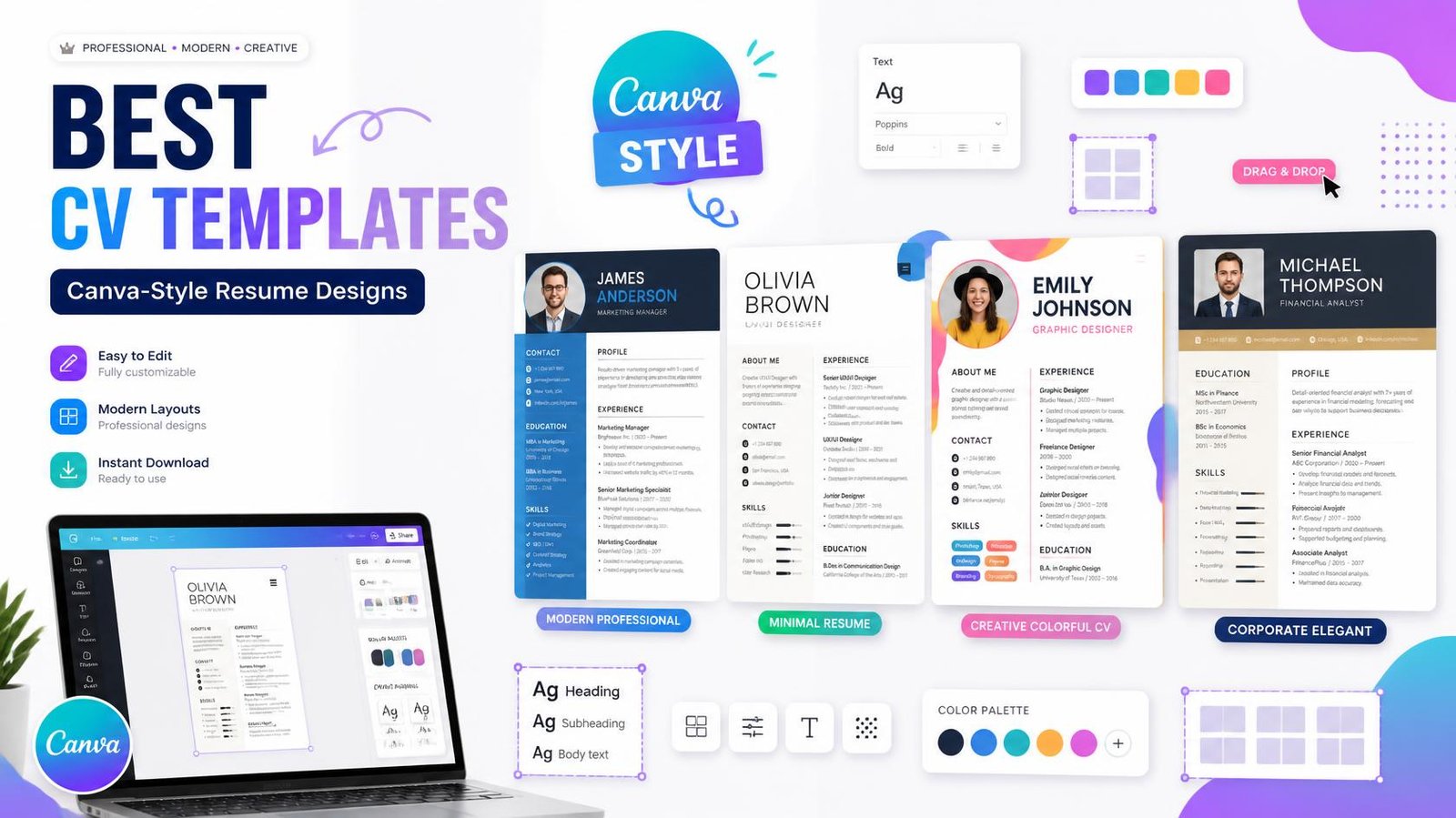
Canva CV templates are popular because they provide visually appealing designs that can be customized easily.
Canva-style designs often include:
- Modern typography
- Color combinations
- Icons
- Two-column layouts
- Creative section designs
- Visual elements
These designs can be particularly attractive for creative professionals.
However, the most visually impressive Canva design isn't necessarily the best CV template for every job.
Before choosing a Canva resume template, make sure:
- The text is easy to read
- Important information is clearly visible
- The design isn't overcrowded
- The colors have good contrast
- The layout is appropriate for your industry
Canva Resume Templates vs Traditional CV Templates
Canva-style designs are excellent when visual presentation matters, but traditional professional templates can be better when simplicity and readability are the priority.
For example, a graphic designer may want a more creative layout, while an accountant may benefit from a straightforward professional resume.
Your CV template should match the job—not just your personal preference.
What Makes a Good Canva Design Template?
If you're searching for Canva design templates for CVs and resumes, pay attention to the structure rather than just the colors and graphics.
A good design should provide:
Clear Visual Hierarchy
Your name, professional title, experience, and important sections should stand out naturally.
Readable Typography
Avoid fonts that look attractive but are difficult to read.
Balanced Layout
The page should not feel overcrowded or leave large unnecessary gaps.
Consistent Design
Headings, fonts, spacing, icons, and colors should work together.
Professional Appearance
Your CV should look appropriate for the industry and position you're targeting.
Free CV Templates
If you're looking for a free CV template, you don't necessarily need to download a complicated document and edit it manually.
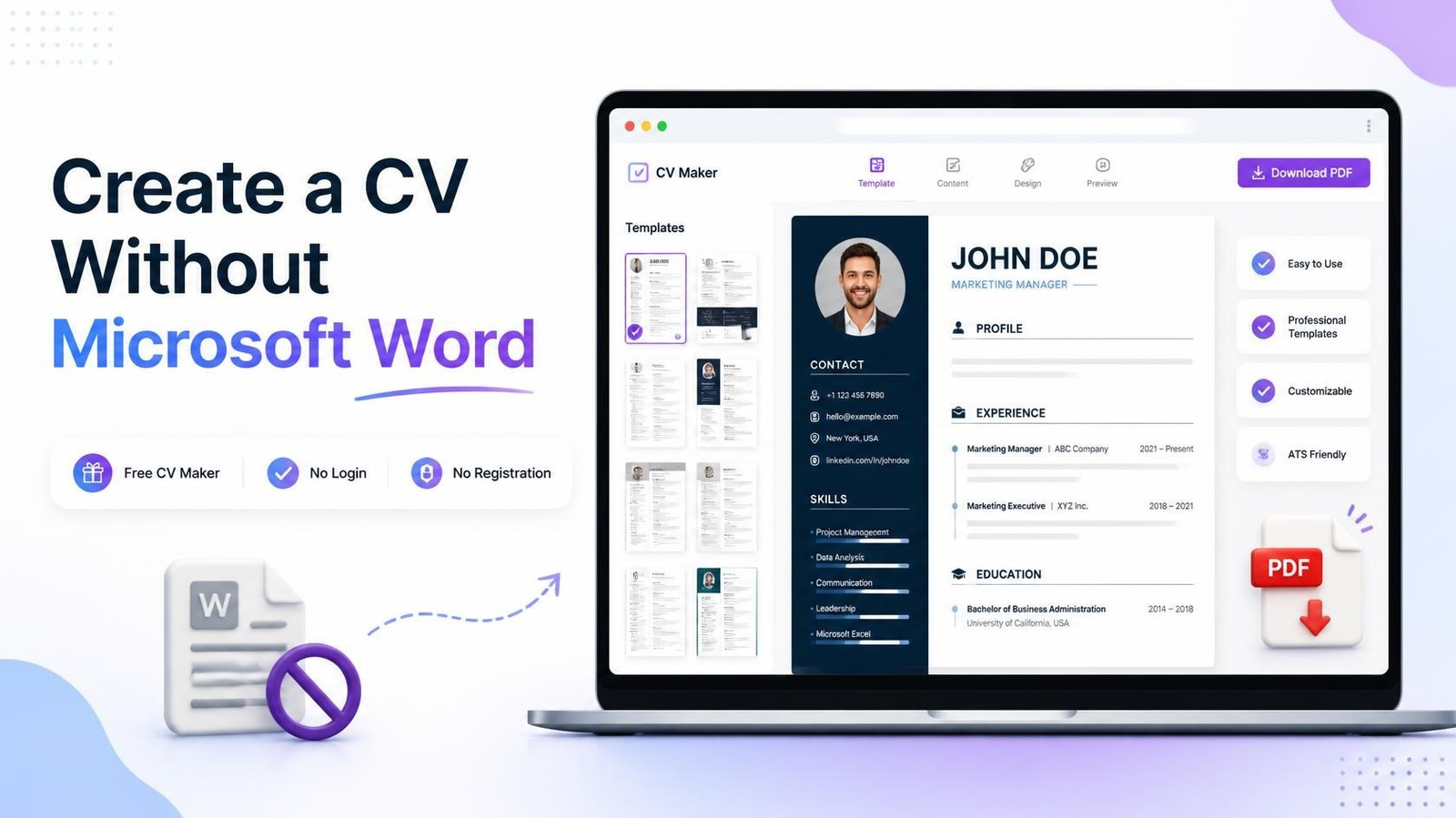
A free online CV maker can provide ready-to-use CV layouts where you enter your information directly.
This can save time compared with manually formatting a CV in Word, Photoshop, or another design application.
Create a CV Without Designing From Scratch
Designing a CV from scratch can take time.
You may have to decide:
- Which font to use
- Where to place each section
- How much spacing to use
- How to align headings
- Which colors to choose
- How to fit everything onto the page
An online CV creator can simplify this process.
With MyCVMaker, you can create your CV online using professionally structured templates instead of starting with a blank document.
You can add your experience, education, skills, projects, and other information, then preview your CV before preparing the final version.
Create Your CV Online With MyCVMaker
If you're searching for a free CV maker, online CV creator, professional CV template, or modern resume template, MyCVMaker provides a simple way to create your CV directly online.
You don't need to be a graphic designer to create a professional-looking CV.
Create your CV with MyCVMaker:
How to Choose the Best CV Template
Before selecting a CV or resume template, consider these five questions.
1. Is it easy to read?
Recruiters should be able to find your important information quickly.
2. Is it suitable for your profession?
Choose a design that matches the expectations of your industry.
3. Does it highlight your strengths?
The template should give enough space to show your most relevant experience and skills.
4. Is the design professional?
Avoid excessive graphics, distracting colors, and unnecessary decorative elements.
5. Can you customize it easily?
Your CV should be easy to update when you gain new experience or apply for another position.
Should You Use a Creative or Professional CV Template?
It depends on the job.
Choose a professional CV template if:
- You're applying for corporate positions
- You're working in finance or administration
- You're applying for traditional professional roles
- You want a clean and conservative appearance
Choose a creative CV template if:
- You're applying for a design position
- You're a creative professional
- Your portfolio and visual presentation are important
- The employer encourages creative applications
When in doubt, choose a clean modern template that balances visual appeal with readability.
Are Canva CV Templates Better Than Online CV Makers?
Not necessarily.
Canva is useful for designing visually attractive documents, while an online CV maker is specifically focused on creating CVs and resumes.
If you enjoy designing and want extensive visual customization, Canva can be a good option.
If you want to quickly create a structured CV without designing every element yourself, an online CV creator may be more convenient.
The best choice depends on how much control and customization you need.
Final Thoughts
The best CV template isn't simply the one that looks the most attractive.
A great CV template should make your qualifications easy to understand while giving your application a professional appearance.
Whether you're searching for a professional CV template, modern resume template, creative CV template, free CV template, Canva CV template, or Canva resume template, always choose a design that supports your content.
If you want to create a professional CV without designing everything from scratch, try an online CV maker.
Create your professional CV online with MyCVMaker:
Choose a template, add your information, customize your CV, and get your application ready for your next opportunity.